
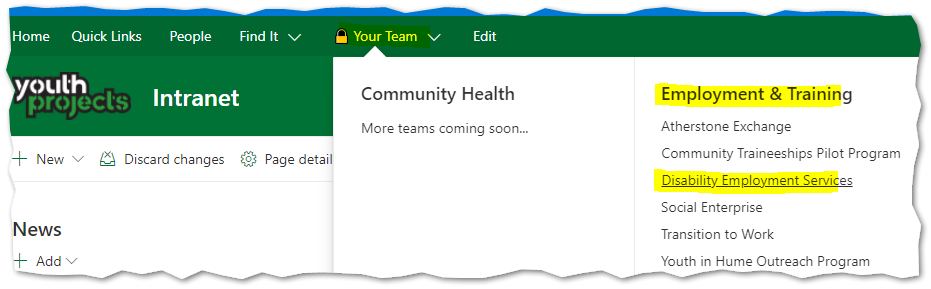
1. Open SharePoint, and navigate to the document library you would like to connect to your computer.
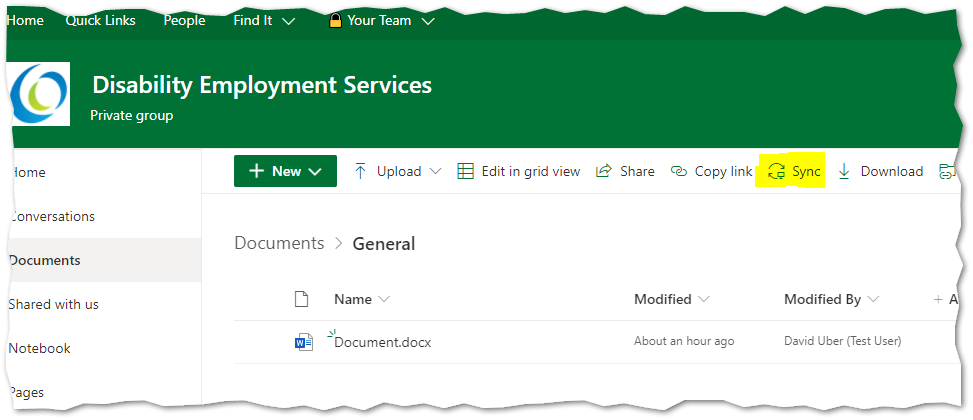
2. Click on the 'Sync' button along the top of the document list, and click allow if prompted.
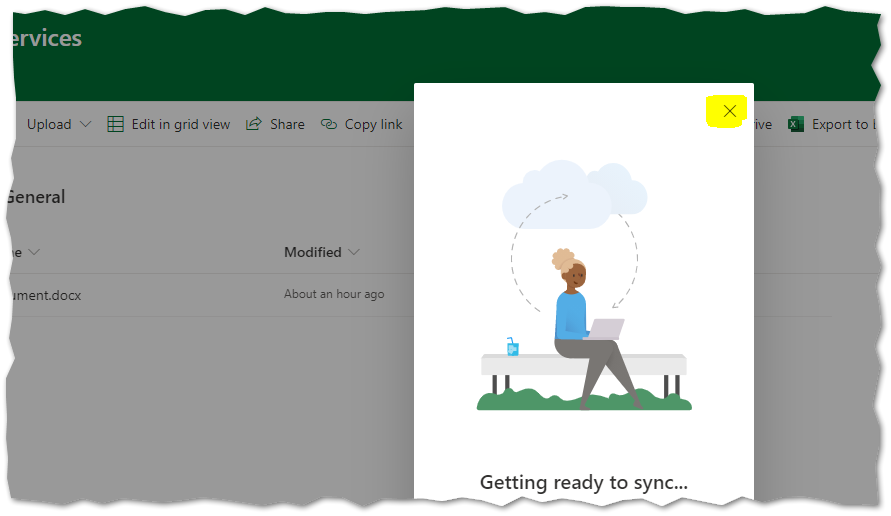
3. After 30 seconds, close the window pictured below that appears - it will not go away by itself.
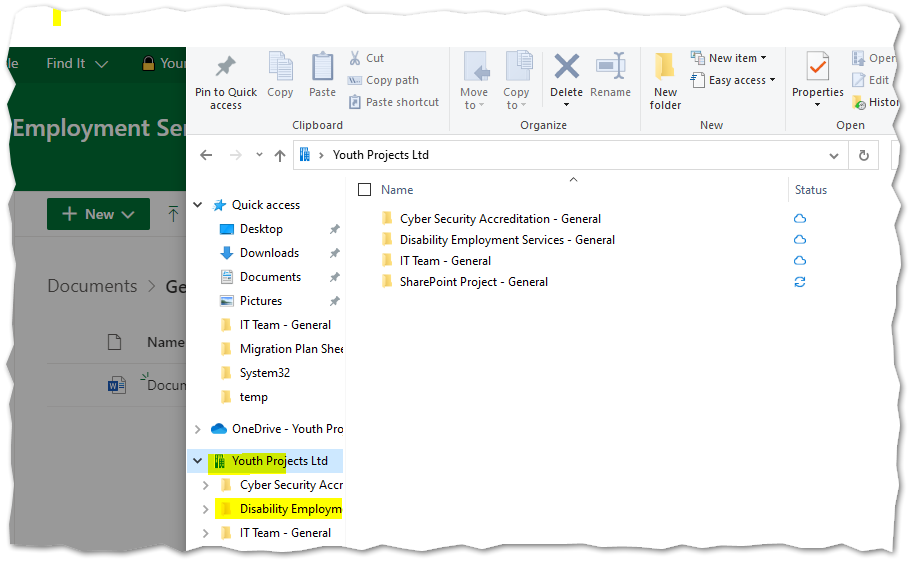
4. Check in file explorer to confirm your library is syncing, and repeat these steps for any additional libraries (teams) that you would like to connect.
For questions or assistance with this process, please contact IT Support.
Comments
0 comments
Article is closed for comments.